

Overview
Your website is made of pages, and you control all of them from one place. Add a new page, edit any page’s content, and publish or unpublish it whenever you like. Your published pages automatically become the links in your site’s navigation, so managing pages is how you shape your whole website.The Pages Manager
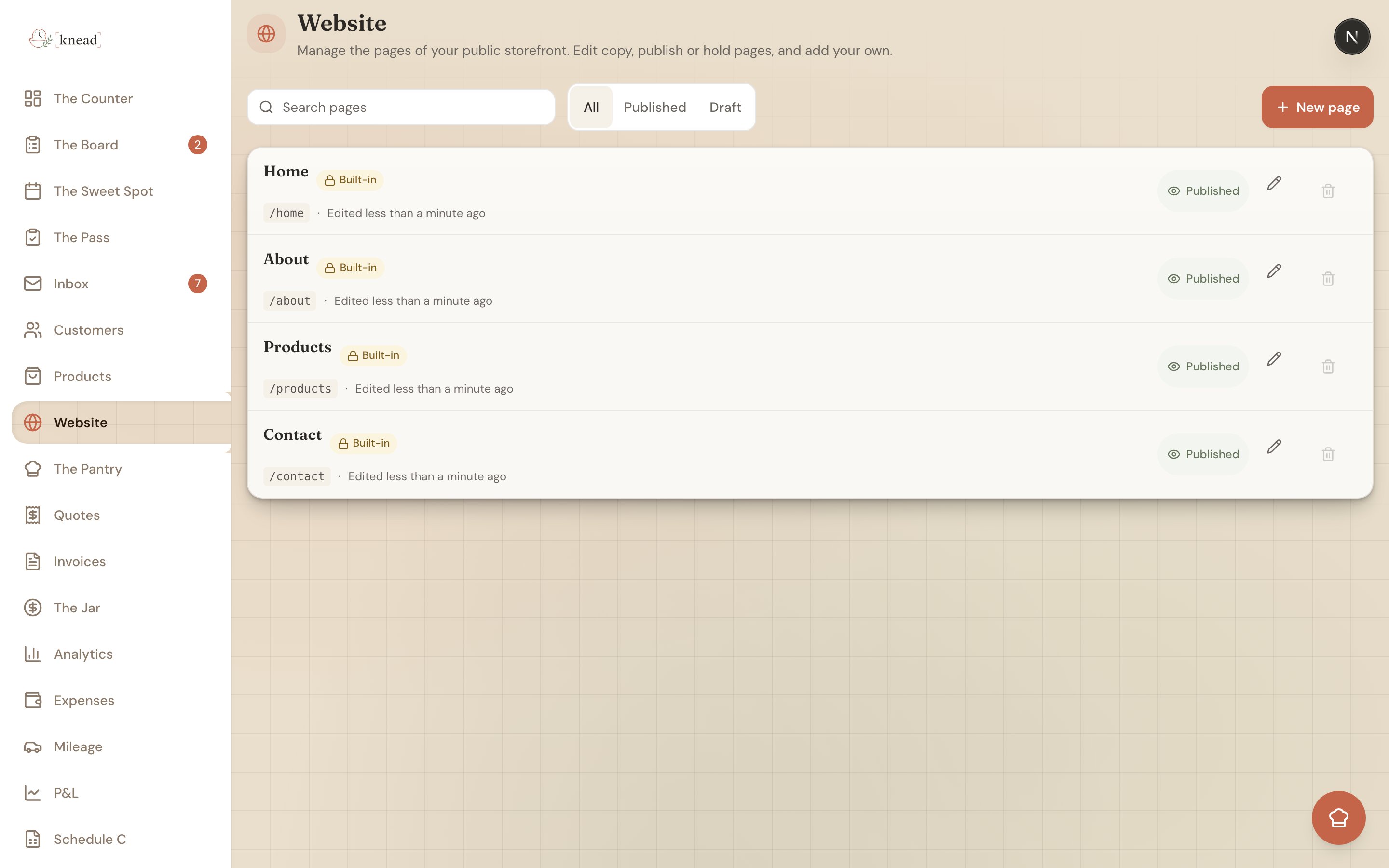
Open Website from the navigation (it lives at/website). You’ll see a list of every page on your site with:
- A search box to find a page by name.
- An All / Published / Draft filter to narrow the list.
- A New page button to create a page.
- A per-row publish / unpublish toggle.
- A delete option for pages you no longer need.
Good to know: Unpublishing a page (rather than deleting it) is a handy way to hide something temporarily — like a seasonal menu page — without losing your work. Flip it back to published when you’re ready.
Creating a New Page
- Open Website and tap New page.
- Give the page a title — this becomes its name in your navigation.
- Add your content blocks (see below).
- Toggle Published on when it’s ready to go live.
The Page Editor
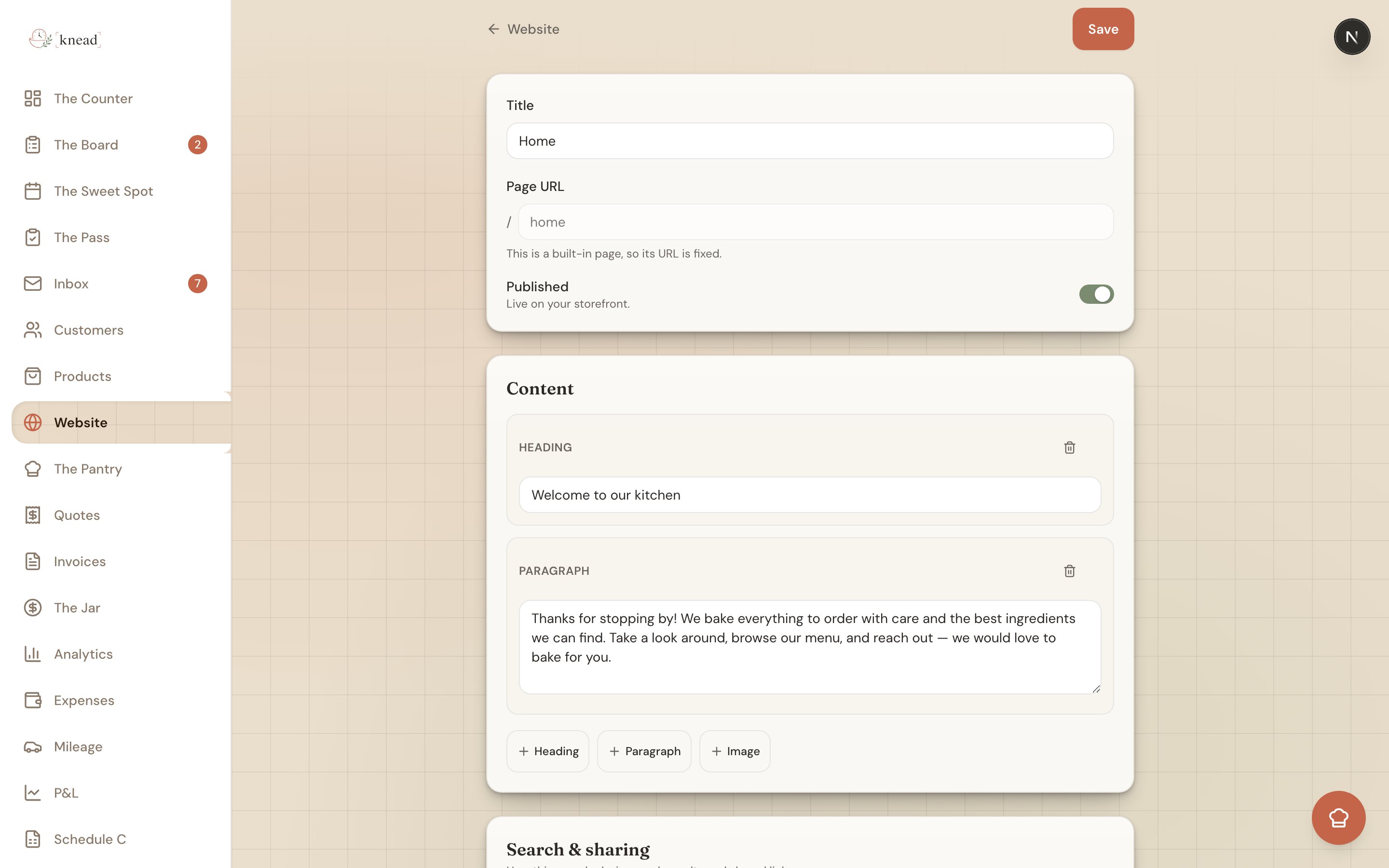
Tap any page to open its editor at/website/{id}. Here you can adjust everything about the page:
- Page title — the name shown in your navigation.
- URL / slug — the page’s web address. This is locked for built-in pages but editable for pages you create.
- Published toggle — controls whether the page is live.
- Content blocks — the body of your page.
- Search & sharing — per-page SEO settings.
Working With Content Blocks
You build a page by stacking content blocks. There are three kinds:- Heading — a section title.
- Paragraph — a block of text.
- Image — a photo, with alt text so it’s described for search engines and screen readers.
Search & Sharing (SEO)
Every page has a Search & sharing section where you can set an SEO title and SEO description. These power the page’s browser tab title and the summary that shows up in Google results. Write a clear, natural SEO title and a sentence describing the page, and you’ll be easier to find. Knead also generates a sitemap and robots file for your site automatically, so search engines can discover all your published pages without any setup from you.Related Articles
- Your Online Storefront
- Customizing Your Look & Feel
- Your Online Menu
- Your Contact Form
- Customizing Your Public URL
Still need help? Contact us