

Overview
Plans change. A customer adds a dozen cookies, swaps a flavor, or bumps the date. You can edit an order’s line items directly, and Knead recalculates the Total for you and updates it on The Board. You get the full editor on active orders. Once an order is completed, you can still fix its header details — the line items lock so your finished record stays intact.Open the editor
- Open the order from The Board (
/orders) to reach its detail page (/orders/[id]). - Click Edit (the pencil icon) in the header.
Edit the order details
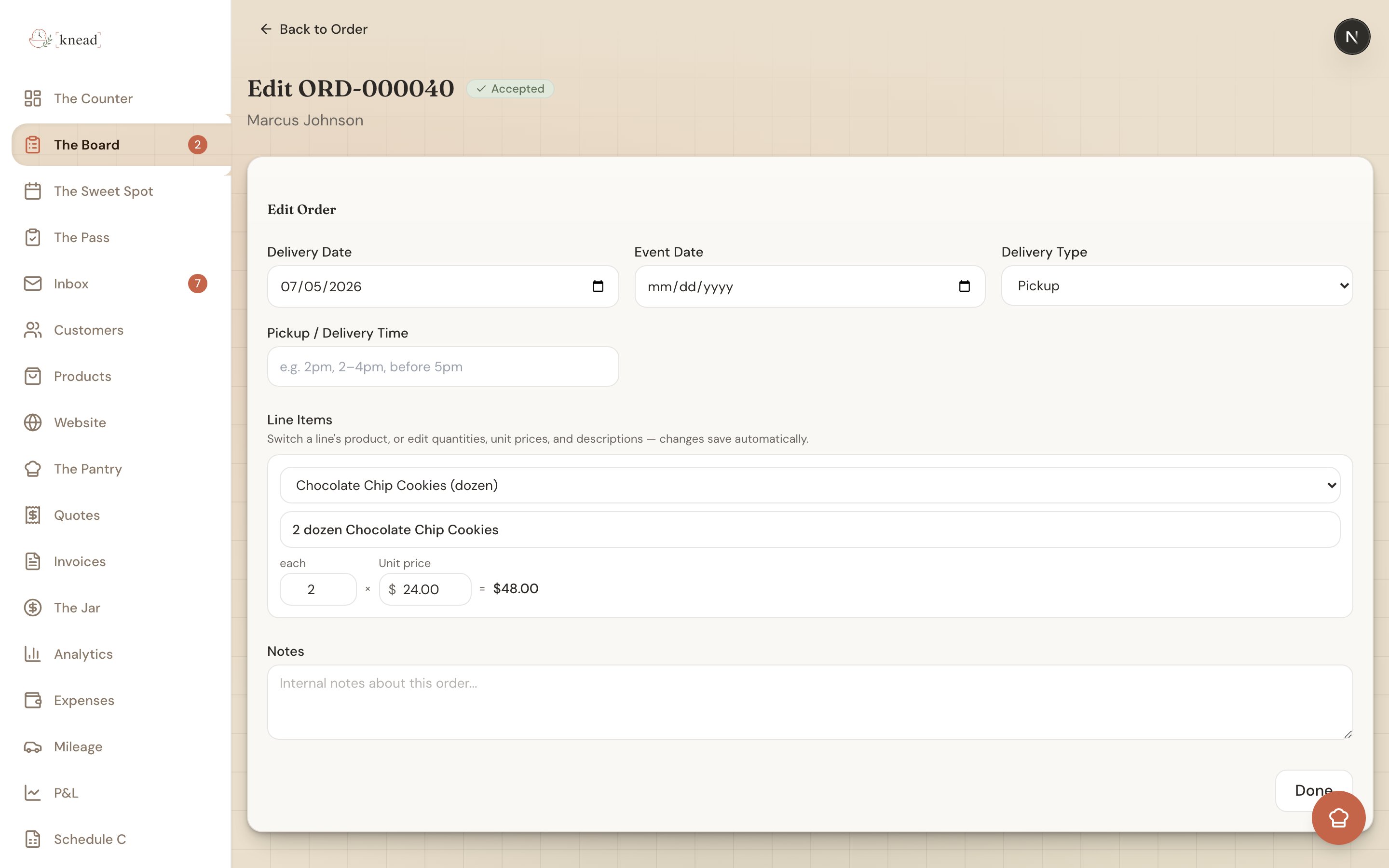
At the top of the Edit Order section you can update the header:- Delivery Date
- Event Date
- Delivery Type — Pickup or Delivery
- Pickup / Delivery Time — a free-text field (placeholder “e.g. 2pm, 2–4pm, before 5pm”)
- Notes
Pickup / Delivery Time shows up on your Sweet Spot
The Pickup / Delivery Time field is free text on purpose — type it however you say it: “2pm,” “2–4pm,” or “before 5pm.” Whatever you enter shows on that order’s card in The Sweet Spot, so on the day itself you can see at a glance when each order needs to be out the door. For more on coordinating handoffs, see Delivery and Pickup Coordination.Edit the line items
On an active order, the helper text above the list reads: “Switch a line’s product, or edit quantities, unit prices, and descriptions — changes save automatically.” Each line item row has:- A Product dropdown (see below)
- A description input
- A quantity input (showing the unit, or “Qty”) — minimum of 1
- A Unit price input with a
\$prefix - The computed line total — shown as
qty × unit price = total
Swap which product a line is for
Every line item has a Product dropdown so you can change which product the line points to:- Choose Custom (no product) for a one-off that isn’t in your catalog.
- Or pick another product from your catalog.
Add notes
Use the Notes field (“Internal notes about this order…”) for anything you want to remember — substitutions, allergy reminders, or delivery instructions. These notes are internal and not shown to your customer.Finish up
Click Done to return to the order. The recalculated Total is already reflected on the order and on The Board.Editing a completed order
Marking an order complete doesn’t lock you out of it. On a completed order you can still fix the header details — Delivery Date, Event Date, Delivery Type, Pickup / Delivery Time, and Notes — which is handy when a date or handoff time needs a correction after the fact. The line items are read-only on a completed order. In place of the editor you’ll see a note: “This order is completed — you can fix its details above. Line items are locked.” This keeps your finished sales record accurate while still letting you tidy up the details.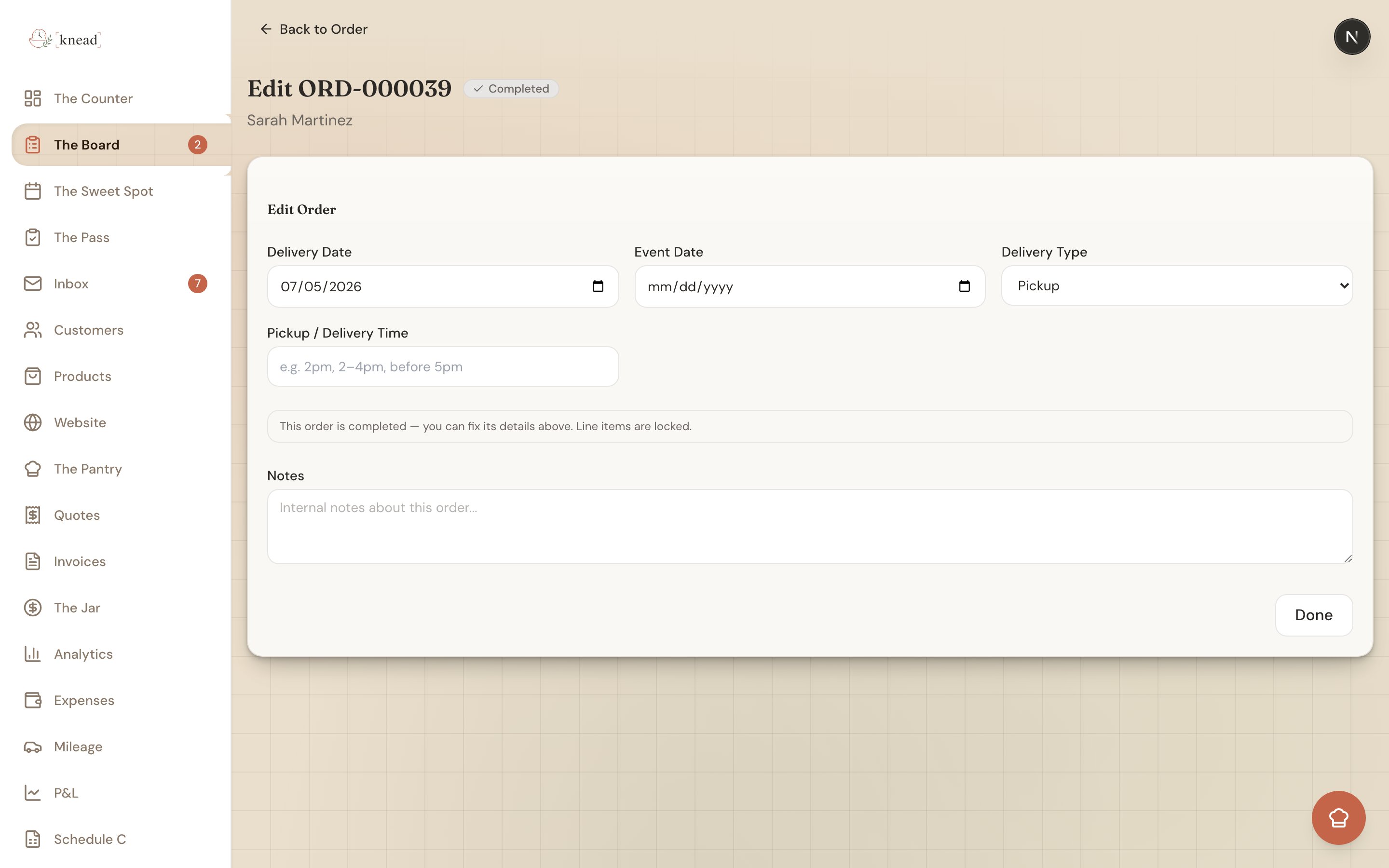
Good to know: If you genuinely need to change what was made or charged after completion, create an adjustment or a new order rather than reopening the finished record.
Related Articles
- Creating Orders Manually
- Order Statuses Explained
- Delivery and Pickup Coordination
- Handling Cancellations and Changes
Still need help? Contact us