

Overview
Your Storefront Look & Feel settings let you dress up your website and order form to match your bakery’s personality — a theme, an optional heading font, a banner image, and a tagline. There’s a live preview, so you can see your changes before you save. Everything builds on the accent color and logo you already set.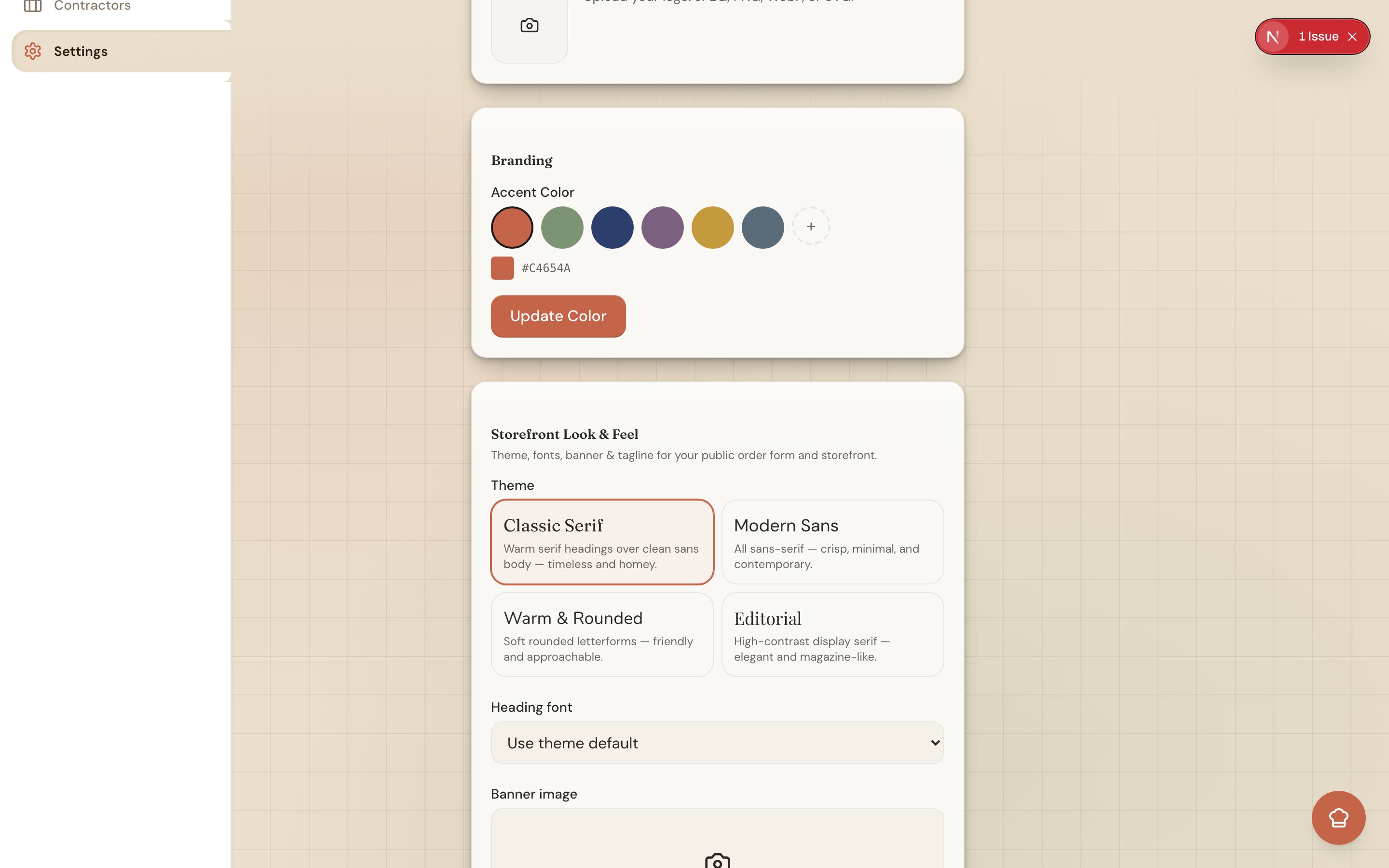
Where to Find It
Go to Settings → Business and open the Storefront Look & Feel section. As you make changes, the preview on screen updates so you know exactly what customers will see.Choosing a Theme
A theme sets the overall style of your site — the type, spacing, and feel. Pick the one that fits your bakery:- Classic Serif — timeless and elegant, great for wedding and custom cakes.
- Modern Sans — clean and minimal.
- Warm & Rounded — soft and friendly, at home with cookies and comfort bakes.
- Editorial — magazine-style, for a polished, storytelling feel.
Overriding the Heading Font
Each theme comes with its own headings, but if you’d like a specific look you can override the heading font. Your choices are Fraunces, Playfair Display, DM Sans, and Nunito. This is optional — leave it alone to keep the theme’s default.Adding a Banner Image
Upload a banner (also called a hero image) to greet visitors at the top of your home page. Use a wide 3:1 image — roughly three times as wide as it is tall — so it fills the space without cropping awkwardly. A clear photo of your best cake or a shot of your workspace works beautifully.Setting a Tagline
Your tagline is the short line under your business name — a quick description of what you do. Keep it to a handful of words, like “Small-batch cakes & cookies, baked in Atlanta” or “Custom celebration cakes, made to order.”One Brand Across Your Site and Order Form
Your theme, banner, and tagline don’t stop at your website. Knead also restyles your public order form header with the same banner and tagline, so your storefront and your order form feel like one connected brand. A customer who clicks from your menu to your order form never feels like they’ve left your bakery.Good to know: Look & Feel builds on your existing brand basics — your accent color and logo. To set those, see Customizing Your Brand Color.
Related Articles
- Your Online Storefront
- Managing Your Website Pages
- Your Online Menu
- Customizing Your Brand Color
- Sharing Your Order Link
Still need help? Contact us