

Overview
Paste & Go lets you import multiple recipes at once by pasting plain text. Copy recipes from a document, email, website, or notes app, paste them into Knead, and AI parses them into structured recipes with ingredients, quantities, and instructions. It is the fastest way to load your recipe library into The Pantry.How It Works
- Tap The Pantry in the sidebar, then tap Recipes.
- Tap the Import Recipes button in the top right.
- The text input screen opens.
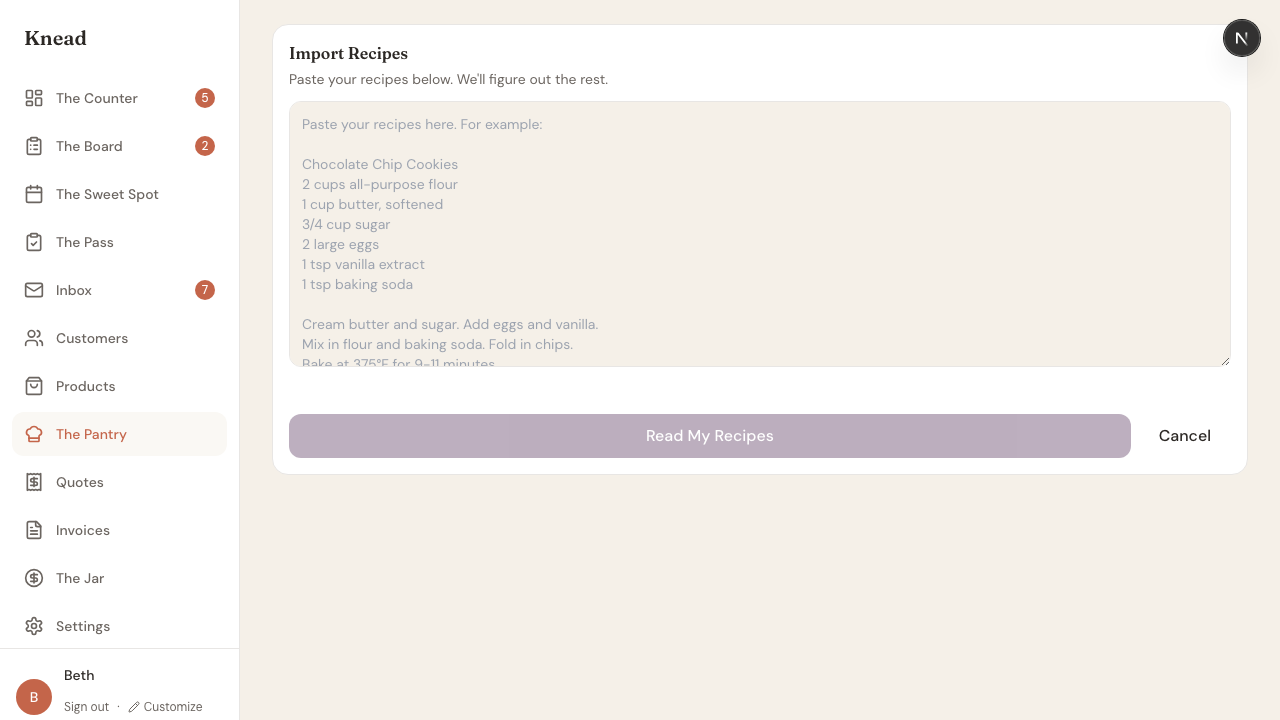
- Paste your recipe text into the text area. You can include one recipe or many — Knead handles both.
- Tap Read My Recipes.
What to Paste
Paste & Go is flexible about formatting. It works with:- Recipes copied from websites or blogs.
- Text from a notes app or Google Doc.
- Recipes from an email or message.
- Plain text you type or dictate.
Reviewing Parsed Recipes
After processing, you see a review list showing each recipe the AI extracted. Each recipe card shows the name, ingredient count, and a preview of the instructions. Review each recipe for accuracy. You can edit names, adjust ingredient quantities, and fix any parsing errors before saving.Saving Recipes
Once you have reviewed the parsed recipes, save them to your Pantry. Each recipe is created as a separate entry in your recipe library, ready to be linked to products. Ingredients extracted from pasted recipes are matched against your existing Pantry. New ingredients are created automatically.Good to know: Paste & Go and Snap & Create use the same ingredient matching and save logic. Recipes imported through either method are identical in your Pantry.
Related Articles
- Snap & Create
- Recipe Costing with The Pantry
- Linking Recipes to Products
- Tracking Ingredients in The Pantry
Still need help? Contact us