

Overview
Cottage-food rules usually require an ingredient list and allergen statement on what you sell. Knead builds both straight from your recipe — ingredients sorted heaviest first, allergens detected automatically — and sends them to your label printer. No retyping, no separate spreadsheet.Printing a label
- Open the recipe on
/pantry/recipes/[id]. - In the top action row, click the Label button (the tag icon).
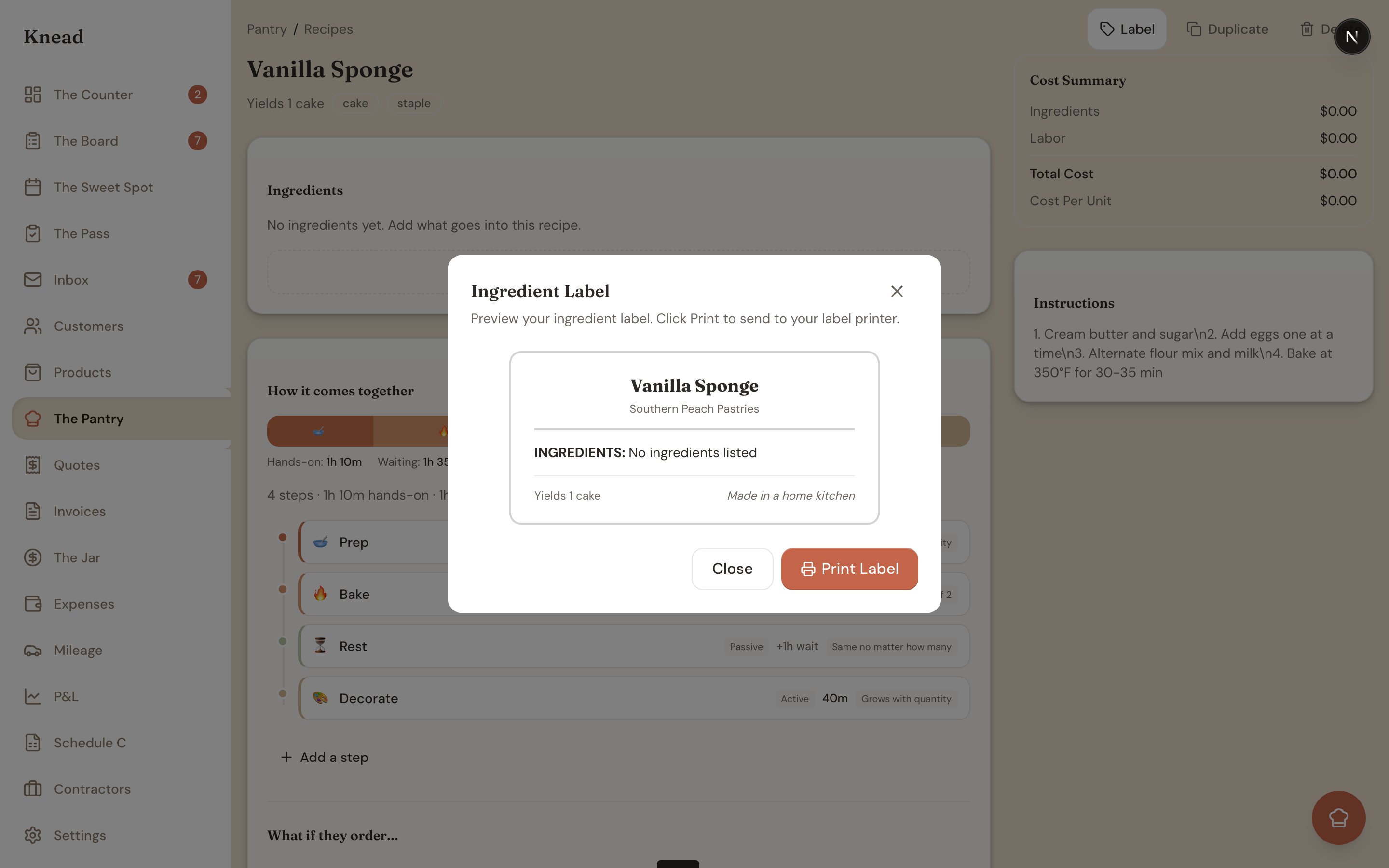
- The Ingredient Label modal opens with a live preview (“Preview your ingredient label. Click Print to send to your label printer.”).
- Click Print Label to trigger your browser’s print dialog, then send it to your label printer. Or click Close to back out.
What’s on the label
- Recipe name and your business name
- A divider
- An “INGREDIENTS:” list, auto-sorted heaviest first by gram weight
- An allergen line (only if allergens are detected)
- A footer with “Yields ” and the italic line “Made in a home kitchen”
How allergens are detected
The allergen line is bold and reads CONTAINS: <ALLERGENS> in uppercase. It only appears when an allergen is detected. There is no manual checkbox — detection is automatic, based on your ingredient categories and ingredient names. Detectable allergens:- Eggs
- Dairy
- Wheat
- Tree Nuts
- Peanuts
- Soy
- Shellfish
- Sesame
Good to know: Because detection reads your ingredient names and categories, keeping ingredient names accurate is what keeps your allergen line correct. An ingredient called “mix” won’t trigger anything; “almond flour” will flag Tree Nuts.
Related Articles
Still need help? Contact us