> ## Documentation Index
> Fetch the complete documentation index at: https://help.kneadapp.co/llms.txt
> Use this file to discover all available pages before exploring further.
# What The Counter Watches For — Every Card Type
> A complete reference of every What's new card on The Counter: what triggers each order, money, capacity, customer, ingredient, and message alert.
## Overview
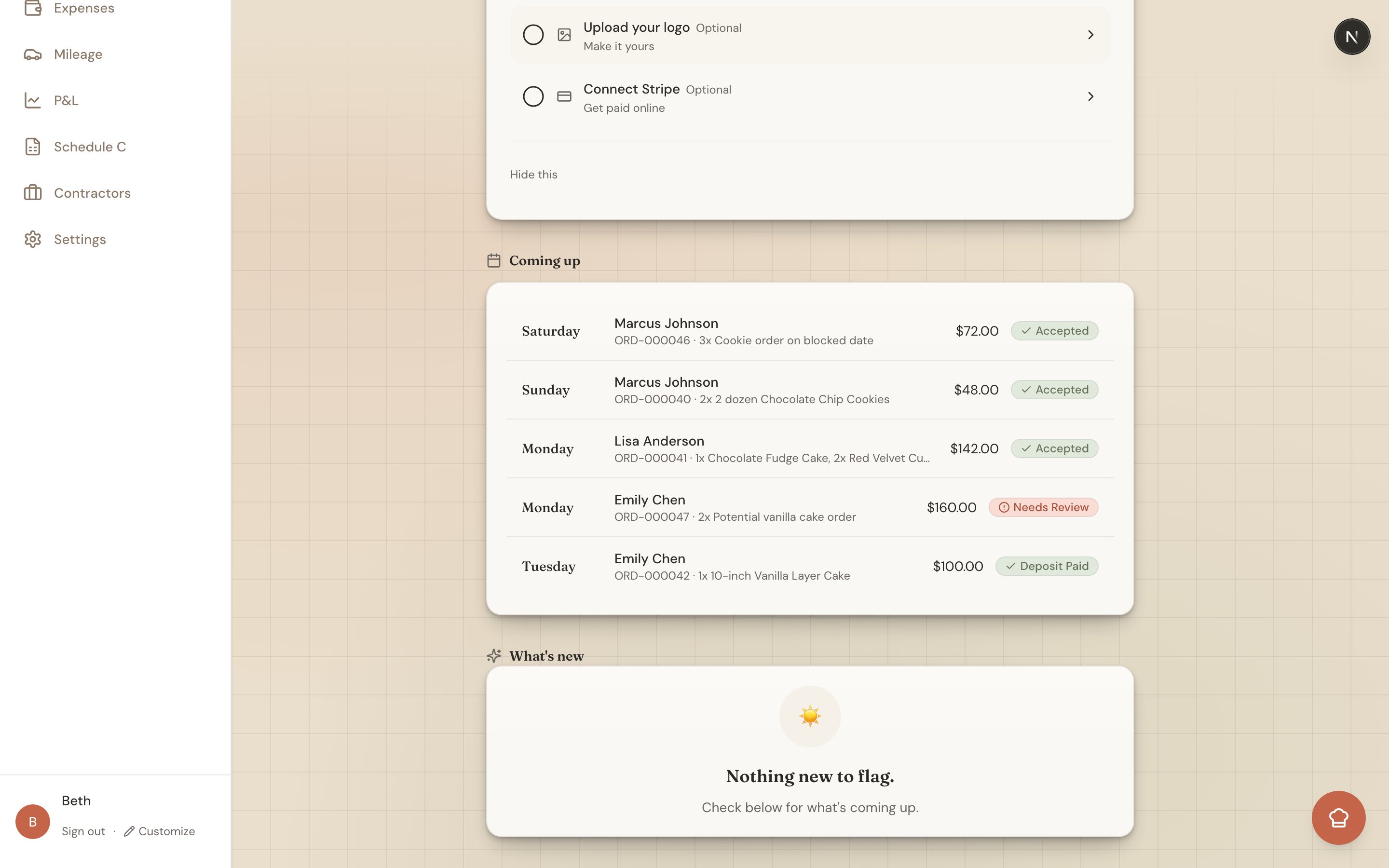
The Counter's **What's new** feed is a smart briefing that watches your bakery around the clock and surfaces only what needs your attention. This page is the full catalog: every card type, grouped by what it's about, with what triggers it and what to do next. Keep it handy as a reference — you don't need to memorize any of it. Knead raises the right card at the right time.
 Good to know: On the **Free** plan the feed shows only the four essentials — new order, invoice overdue, production start, and payment received. The **Trial, Starter, and Growth** plans unlock the full set below, including the customer-growth nudges.
## Order Lifecycle
These cards keep every order moving from first request to pickup.
| Card | What triggers it | What to do |
| ----------------------------------- | --------------------------------------------------------------- | ----------------------------------------------------------------------------------------------- |
| **New order** | A customer placed a new order through your order form. | Open it, review the details, and accept. |
| **New inquiry** | A new order-form inquiry came in (a request, not a firm order). | Reply, then quote or convert it to an order. |
| **Unanswered inquiry** | An inquiry has sat 48+ hours with no reply. | Follow up before you lose the lead. |
| **Stale sent quote** | A quote you sent has gone 48+ hours without a response. | Nudge the customer — the card notes whether they've viewed it. |
| **Customer approved your quote** 🎉 | A customer accepted a quote you sent. | Turn it into an order and send the invoice. |
| **Time to start baking** | An order's production day has arrived. | Start production. A **Dismiss for today** hides it until tomorrow if you still haven't started. |
| **Missed pickup** | An order passed its pickup time and wasn't collected. | Reach out to reschedule the handoff. |
| **Stuck order** | An order is awaiting action with no change for 7+ days. | Move it forward — invoice it, start it, or close it out. |
## Money Guardrails
These cards protect your cash flow so nothing slips through unpaid.
| Card | What triggers it | What to do |
| --------------------------- | ---------------------------------------------------------------------------------- | ------------------------------------------------------------- |
| **Payment received** 🎉 | A customer paid an invoice or deposit. | Nothing needed — this one's a win. |
| **Invoice overdue** | An invoice passed its due date without payment. | Follow up with the customer. |
| **Auto-invoice failed** | An automatic invoice couldn't be created. | Create the invoice manually. |
| **Stripe payout** | A Stripe payout was initiated, paid, or failed. | Confirm it landed in your bank, or check Stripe if it failed. |
| **Deposit uncollected** | A deposit-required order is in production with nothing collected yet. | Collect the deposit before you get further in. |
| **Unpaid before pickup** | A balance is still due within 3 days of pickup. | Top priority — collect before the handoff. |
| **Month-end receipt nudge** | After the 26th, you've taken payments but logged fewer than 2 expenses this month. | Snap your receipts so your Schedule C stays accurate. |
Pro tip: The month-end nudge is your reminder that every receipt you snap is a deduction. See [Tracking Business Expenses](/bookkeeping-and-taxes/tracking-business-expenses).
## Capacity
These cards help you say yes to the right amount of work.
| Card | What triggers it | What to do |
| ----------------------- | ------------------------------------------------------------------------------------------------- | ----------------------------------------------------- |
| **Capacity warning** | A day is filling up — getting busy (70%), nearly full (90%), over 100%, or a date you've blocked. | Think carefully before accepting more for that day. |
| **Monthly order limit** | On the Free plan, you've reached your monthly limit of 5 orders. | Upgrade to keep taking orders this month. |
| **Slow week ahead** | It's Thursday and next week is under about 40% full. | Run a promo or reach out to regulars to fill the gap. |
## Grow Your Business
These are your **Kitchen Table** nudges — gentle prompts to build relationships and bring customers back. Many open a **pre-filled outreach message** you can edit and send in seconds.
| Card | What triggers it | What to do |
| --------------------------------- | ------------------------------------------------------------------------ | ------------------------------------------- |
| **New client added** | You added a new client to your list. | Send a quick welcome. |
| **Welcome to Knead** 🎉 | You're just getting started. | Say hi — this one's a warm welcome. |
| **Follow up with a top customer** | A customer has spent \$500 or more with you in the last year. | Send the pre-filled thank-you. |
| **Customer milestone** 🎉 | A customer just placed their 3rd, 5th, 10th, 25th, 50th, or 100th order. | Celebrate the milestone with them. |
| **Win back a regular** | A repeat client hasn't ordered in 90+ days. | Reach out and remind them you're here. |
| **A seasonal regular is due** | A customer ordered this same month last year. | Invite them back before the season passes. |
| **Welcome them back** | A first-time client, 2–14 days after their first order. | Send a thank-you and invite a second order. |
| **Customer anniversary** | It's been a year since a customer's first order. | Mark the anniversary with a note. |
| **Ask for a referral** | An engaged regular — 3+ orders and \$300+ spent. | Ask them to refer a friend. |
## Ingredients
These cards keep your recipes profitable and your shelves stocked.
| Card | What triggers it | What to do |
| ---------------------------- | -------------------------------------------------- | -------------------------------------- |
| **Ingredient price changed** | The cost of an ingredient in The Pantry moved. | Review the recipe margins that use it. |
| **Low stock / out of stock** | An ingredient dropped below its reorder threshold. | Restock before your next bake day. |
## Messages
These cards make sure no customer message goes cold.
| Card | What triggers it | What to do |
| ------------------------- | ---------------------------------------------------------------------------------------------------------- | -------------------------------- |
| **Unanswered message** | A customer messaged you and it's been over 24 hours with no reply. | Respond from the inbox. |
| **Order intent detected** | A message in your inbox reads like an order request — the card includes a live capacity read for the date. | Convert it to an order or quote. |
## Related Articles
* [Understanding The Counter](/understanding-the-counter)
* [Your Morning Briefing](/your-daily-briefing)
* [Understanding Your Analytics](/understanding-your-analytics)
* [Your First Order — End to End](/your-first-order-end-to-end)
* [Using The Sweet Spot](/calendar-and-capacity/using-the-sweet-spot)
* [Tracking Business Expenses](/bookkeeping-and-taxes/tracking-business-expenses)
***
*Still need help? [Contact us](mailto:hello@kneadapp.co)*
Good to know: On the **Free** plan the feed shows only the four essentials — new order, invoice overdue, production start, and payment received. The **Trial, Starter, and Growth** plans unlock the full set below, including the customer-growth nudges.
## Order Lifecycle
These cards keep every order moving from first request to pickup.
| Card | What triggers it | What to do |
| ----------------------------------- | --------------------------------------------------------------- | ----------------------------------------------------------------------------------------------- |
| **New order** | A customer placed a new order through your order form. | Open it, review the details, and accept. |
| **New inquiry** | A new order-form inquiry came in (a request, not a firm order). | Reply, then quote or convert it to an order. |
| **Unanswered inquiry** | An inquiry has sat 48+ hours with no reply. | Follow up before you lose the lead. |
| **Stale sent quote** | A quote you sent has gone 48+ hours without a response. | Nudge the customer — the card notes whether they've viewed it. |
| **Customer approved your quote** 🎉 | A customer accepted a quote you sent. | Turn it into an order and send the invoice. |
| **Time to start baking** | An order's production day has arrived. | Start production. A **Dismiss for today** hides it until tomorrow if you still haven't started. |
| **Missed pickup** | An order passed its pickup time and wasn't collected. | Reach out to reschedule the handoff. |
| **Stuck order** | An order is awaiting action with no change for 7+ days. | Move it forward — invoice it, start it, or close it out. |
## Money Guardrails
These cards protect your cash flow so nothing slips through unpaid.
| Card | What triggers it | What to do |
| --------------------------- | ---------------------------------------------------------------------------------- | ------------------------------------------------------------- |
| **Payment received** 🎉 | A customer paid an invoice or deposit. | Nothing needed — this one's a win. |
| **Invoice overdue** | An invoice passed its due date without payment. | Follow up with the customer. |
| **Auto-invoice failed** | An automatic invoice couldn't be created. | Create the invoice manually. |
| **Stripe payout** | A Stripe payout was initiated, paid, or failed. | Confirm it landed in your bank, or check Stripe if it failed. |
| **Deposit uncollected** | A deposit-required order is in production with nothing collected yet. | Collect the deposit before you get further in. |
| **Unpaid before pickup** | A balance is still due within 3 days of pickup. | Top priority — collect before the handoff. |
| **Month-end receipt nudge** | After the 26th, you've taken payments but logged fewer than 2 expenses this month. | Snap your receipts so your Schedule C stays accurate. |
Pro tip: The month-end nudge is your reminder that every receipt you snap is a deduction. See [Tracking Business Expenses](/bookkeeping-and-taxes/tracking-business-expenses).
## Capacity
These cards help you say yes to the right amount of work.
| Card | What triggers it | What to do |
| ----------------------- | ------------------------------------------------------------------------------------------------- | ----------------------------------------------------- |
| **Capacity warning** | A day is filling up — getting busy (70%), nearly full (90%), over 100%, or a date you've blocked. | Think carefully before accepting more for that day. |
| **Monthly order limit** | On the Free plan, you've reached your monthly limit of 5 orders. | Upgrade to keep taking orders this month. |
| **Slow week ahead** | It's Thursday and next week is under about 40% full. | Run a promo or reach out to regulars to fill the gap. |
## Grow Your Business
These are your **Kitchen Table** nudges — gentle prompts to build relationships and bring customers back. Many open a **pre-filled outreach message** you can edit and send in seconds.
| Card | What triggers it | What to do |
| --------------------------------- | ------------------------------------------------------------------------ | ------------------------------------------- |
| **New client added** | You added a new client to your list. | Send a quick welcome. |
| **Welcome to Knead** 🎉 | You're just getting started. | Say hi — this one's a warm welcome. |
| **Follow up with a top customer** | A customer has spent \$500 or more with you in the last year. | Send the pre-filled thank-you. |
| **Customer milestone** 🎉 | A customer just placed their 3rd, 5th, 10th, 25th, 50th, or 100th order. | Celebrate the milestone with them. |
| **Win back a regular** | A repeat client hasn't ordered in 90+ days. | Reach out and remind them you're here. |
| **A seasonal regular is due** | A customer ordered this same month last year. | Invite them back before the season passes. |
| **Welcome them back** | A first-time client, 2–14 days after their first order. | Send a thank-you and invite a second order. |
| **Customer anniversary** | It's been a year since a customer's first order. | Mark the anniversary with a note. |
| **Ask for a referral** | An engaged regular — 3+ orders and \$300+ spent. | Ask them to refer a friend. |
## Ingredients
These cards keep your recipes profitable and your shelves stocked.
| Card | What triggers it | What to do |
| ---------------------------- | -------------------------------------------------- | -------------------------------------- |
| **Ingredient price changed** | The cost of an ingredient in The Pantry moved. | Review the recipe margins that use it. |
| **Low stock / out of stock** | An ingredient dropped below its reorder threshold. | Restock before your next bake day. |
## Messages
These cards make sure no customer message goes cold.
| Card | What triggers it | What to do |
| ------------------------- | ---------------------------------------------------------------------------------------------------------- | -------------------------------- |
| **Unanswered message** | A customer messaged you and it's been over 24 hours with no reply. | Respond from the inbox. |
| **Order intent detected** | A message in your inbox reads like an order request — the card includes a live capacity read for the date. | Convert it to an order or quote. |
## Related Articles
* [Understanding The Counter](/understanding-the-counter)
* [Your Morning Briefing](/your-daily-briefing)
* [Understanding Your Analytics](/understanding-your-analytics)
* [Your First Order — End to End](/your-first-order-end-to-end)
* [Using The Sweet Spot](/calendar-and-capacity/using-the-sweet-spot)
* [Tracking Business Expenses](/bookkeeping-and-taxes/tracking-business-expenses)
***
*Still need help? [Contact us](mailto:hello@kneadapp.co)*